Browser privacy in 2026 is primarily a fingerprinting problem, not a cookie problem. Third-party cookies are effectively eliminated by Safari, Firefox, and Brave; Google replaced them with Privacy Sandbox APIs in Chrome. The unsolved threat is device-derived identification: canvas hashes, WebGL, and audio signatures - each contributing, per published research, on the order of 10 or more bits of entropy - that persist across sessions, VPNs, and private browsing.
The four fronts of browser tracking, ranked by current threat level:
| Front | 2026 status | Primary mitigations |
|---|---|---|
| Storage (cookies, localStorage) | Largely solved | Browser partitioning, ITP, uBlock Origin |
| Fingerprinting (canvas, WebGL, audio) | Active, unsolved | Brave Shields (randomization) or Tor/Mullvad (uniformity) |
| Network identity (IP, TLS JA4) | Active | VPN + Encrypted Client Hello (ECH) |
| Sensors & side channels | Low for most users | iOS Lockdown Mode, browser permission model |
Browser recommendation summary:
- Daily use: Brave (randomization, Shields, Chromium security cadence)
- Anonymity-critical: Tor Browser or Mullvad Browser (uniformity defense)
- Firefox users: LibreWolf (hardened defaults, 2-5 day patch lag)
More: Methodology and sources · Privacy browsers deep-dive · Test your fingerprint · HTTP security headers checker
Table of Contents
- Why browser privacy matters in 2026
- The four fronts of browser tracking
- Fingerprinting state of the art in 2026
- Lockdown Mode four years later
- Privacy browsers compared
- DNS-over-HTTPS and DNS-over-TLS landscape
- Extension audit methodology
- OS-level privacy hooks
- What changed in browser engines in 2026
- Defenses compared: which layer stops what
- What we recommend for 2026
- Methodology and sources
What is the biggest browser privacy threat in 2026?
Browser fingerprinting - not cookies - is the dominant tracking threat in 2026. Published fingerprinting research (EFF's "How Unique Is Your Web Browser?" / Cover Your Tracks) finds canvas, WebGL, and AudioContext each contribute on the order of 10 or more bits of entropy. Combined, these three vectors make the large majority of desktop browsers uniquely identifiable before any passive signals are added. Third-party cookies are largely solved by Safari, Firefox, and Brave; device-derived fingerprints are not.
Why browser privacy matters in 2026
Browsers are the most exposed surface on a modern device. They run untrusted code from hundreds of origins per session, hold most of a user's identity tokens, and increasingly act as the universal client for apps that used to ship natively. A typical mainstream page now loads JavaScript from many third-party domains and first-party subdomains - a number that has climbed steadily over the past several years as public web-transparency datasets like the HTTP Archive document. Surface area keeps growing.
Two shifts in the last 18 months reframed the threat model. First, the post-cookie transition forced trackers to consolidate around device-derived signals rather than storage-derived ones. Cookies were always easy to clear; canvas hashes are not. Second, demand for behavioral training data has grown, which plausibly raises the resale value of fine-grained browser telemetry - though we have no first-party figures to quantify the size of that shift.
The combined effect is simple. Defensive value moved upstream: it is no longer enough to clear cookies and turn on Do Not Track. The current battle is fought at the rendering, networking, and OS layers.
This report sets a baseline. It catalogs the four main tracking fronts, the state of fingerprinting research in mid-2026, the evolution of Apple Lockdown Mode since iOS 16, the realistic positioning of every privacy-focused browser still actively maintained, the DNS encryption ecosystem, the extension landscape after Manifest V3, and the OS-level hooks worth touching on macOS, Linux, and Windows. Every claim is rooted in published research or vendor documentation, and the methodology section explains where each figure comes from.
The four fronts of browser tracking
There are four mostly independent fronts. A serious threat model has to consider all of them; ignoring any single one usually collapses the others.
Front 1 - Storage tracking. Cookies, localStorage, IndexedDB, service workers, Cache API. This is the oldest layer. Modern browsers partition most of it by top-frame origin, so the third-party cookie era is effectively over in Safari, Firefox, and Brave. Chrome's Privacy Sandbox replaced third-party cookies with Topics and Protected Audience APIs in 2024, with mixed reception. Storage tracking is still useful for first-party analytics but no longer enables cross-site profile assembly the way it did in 2018.
Front 2 - Fingerprinting. Anything passive, derived from the device and the rendering stack: User-Agent, screen size, fonts, canvas, WebGL, audio context, hardware concurrency, device memory, battery, sensors, and the new entropy frontier of GPU shader timings. Fingerprinting requires no storage and no user consent. It is the dominant tracking method in 2026 for anyone serious about identity persistence.
Front 3 - Network identity. IP address, TLS fingerprint (JA3, JA4), HTTP/2 SETTINGS frame patterns, QUIC connection IDs, and DNS query patterns. Even with a VPN, the TLS handshake can reveal the exact browser and version. Even with a privacy-focused DNS, the SNI in the ClientHello is visible to the network operator unless Encrypted ClientHello (ECH) is in use.
Front 4 - Sensors and side channels. Microphone, camera, geolocation, gyroscope, accelerometer, ambient light, and increasingly the WebHID and WebUSB APIs. Most users hit explicit permission prompts here, but ambient sensors on mobile leak data passively and have been used in published attacks to defeat anti-fingerprinting noise injection.
Each front needs its own mitigation. A VPN addresses parts of front 3 but nothing in front 2. A privacy browser addresses parts of fronts 1 and 2 but only marginally improves front 3. Lockdown Mode is one of the few features that touches fronts 2 and 4 at once.
Fingerprinting state of the art in 2026
Six fingerprinting vectors carry most of the entropy in 2026 - we break down each one in our browser fingerprinting deep-dive. We list them in descending order of information density, drawing on published fingerprinting research (EFF's "How Unique Is Your Web Browser?" and the Cover Your Tracks project) rather than any measurements of our own.
Canvas fingerprinting remains the highest-entropy single vector - published research puts it on the order of 16 bits on average. Rendering a complex glyph with subpixel anti-aliasing produces hashes that vary with GPU driver, OS version, font subset, and color profile. The 2026 update is that browsers now expose enough WebGPU capabilities that even when 2D canvas is randomized, the 3D canvas can be queried for the same purpose.
WebGL fingerprinting is close behind, on the order of 14 bits. The WEBGL_debug_renderer_info extension exposes the unmasked vendor and renderer strings on every desktop browser except Brave Shields strict mode and Tor Browser. Even with that extension blocked, parameter queries on MAX_TEXTURE_SIZE, ALIASED_LINE_WIDTH_RANGE, and the supported extension list can reconstruct the GPU model with high reliability.
Audio fingerprinting via OfflineAudioContext yields on the order of 11 to 12 bits in published research. A short oscillator pass through a dynamics compressor produces buffer values that depend on the audio subsystem and hardware floating-point implementation. The vector has been known since 2016 and remains stable across browser versions because changing it would break the audio pipeline.
Font enumeration is the surprise of 2026. Direct enumeration was deprecated, but indirect detection through CSS rendering of a known glyph set still discriminates a meaningful number of bits. The Local Fonts API, gated behind a permission prompt, leaks a large amount of entropy when granted - which is why no privacy browser exposes it.
Hardware concurrency and device memory together add a handful of bits. The values are coarse (navigator.hardwareConcurrency is rounded, deviceMemory returns one of five buckets), but combined with screen resolution and pixel ratio they significantly narrow the pool.
User-Agent Client Hints are the post-User-Agent solution that Chrome pushed in 2022 and that has now stabilized. The high-entropy hints (full browser version, architecture, model) are gated behind a server request, but they leak as soon as the server asks - which most sites do.
Two emerging vectors are worth flagging. GPU shader timing exploits microbenchmark differences across GPU families, with recent academic work reporting additional entropy not blocked by current anti-fingerprinting heuristics. TLS-level fingerprinting (JA4) operates below the browser and is invisible to extensions; it discriminates browsers, browser versions, and platforms with extremely high accuracy.
The defensive landscape splits into two strategies. The randomization approach (Brave, LibreWolf) injects per-session noise into canvas, audio, and WebGL outputs. It works for individual sessions but is fragile across long visits if the randomization seed leaks. The uniformity approach (Tor Browser, Mullvad Browser) tries to make every user produce the same fingerprint. It works only if you accept the constraints: fixed window size, fixed font set, JIT trade-offs, and no extensions. There is no third way.
Lockdown Mode four years later

Apple shipped Lockdown Mode in iOS 16 in 2022, marketed at journalists, activists, and people facing state-level adversaries. Four years later the feature is more ambitious, more usable, and quietly available on macOS and iPadOS as well. The original Safari trade-offs we documented in our earlier deep-dive on iOS 16 JIT disabling still hold, but the feature footprint has expanded substantially.
The 2022 feature set covered Safari (JIT disabled, several APIs blocked), Messages (link previews disabled, most attachment types blocked), wired connections (requiring unlock to connect), and configuration profiles (blocked from installation). The 2026 feature set adds: signed system volume verification on macOS, full attestation of network conditions on iPadOS, certificate transparency enforcement at the OS layer, a hardened WiFi stack that refuses WPA2 in some conditions, and tighter Bluetooth pairing constraints.
For the browser specifically, the JIT-off configuration has matured. JavaScript is meaningfully slower because JavaScriptCore falls back to its interpreter path, but the list of broken sites has shrunk over time. The biggest improvement came from WebAssembly fallbacks: Figma, Photopea, and most in-browser PDF tools now ship JavaScript paths that activate when WASM is unavailable.
Lockdown Mode is also now copyable. Firefox shipped a "Resist Fingerprinting" preset in 2024 (privacy.resistFingerprinting = true) that approximates the browser-side protections, though without the JIT-off step. Mullvad Browser bundles the same defaults plus the Tor Browser anti-fingerprinting patches. On Android, GrapheneOS introduced its own per-app sandbox restrictions in 2025 that mirror the macOS hardening goals.
The honest assessment is that Lockdown Mode is one of the only mainstream-OS privacy features worth turning on for a serious threat model. The cost is real (a small share of sites degraded, noticeably slower JavaScript) but bounded. We recommend it for any journalist, activist, lawyer, or person with elevated risk exposure. We do not recommend it as a default for general use.
Privacy browsers compared
Five browsers are worth evaluating for privacy in 2026: Brave, Tor Browser, Mullvad Browser, LibreWolf, and Firefox with manual hardening. If you also route traffic through a VPN, our best browser-privacy VPN guide covers how the two layers combine. We assess them on seven criteria: fingerprint surface, network identity protection, blocker quality, performance, ergonomics, update cadence, and extension support.
Brave ships the best out-of-box experience for most users. Shields blocks trackers and ads by default, fingerprinting is randomized per session per origin, third-party storage is partitioned. It uses Chromium under the hood, so performance is on par with Chrome. The trade-offs: the company has had governance controversies, Brave Rewards adds attention-tracking even when disabled (the surface is there, just inactive), and some Chromium APIs leak more entropy than equivalents in Firefox. For most users, it remains the strongest default privacy browser.
Tor Browser is the gold standard for network identity and uniformity-style anti-fingerprinting. It routes traffic through three relays, enforces a fixed window size, ships a fixed font set, and disables JIT (slower JavaScript, same trade-off as Lockdown Mode). It is also the slowest browser by a wide margin and the most awkward to use for daily browsing. Reserve it for high-sensitivity tasks: source contact, anonymous research, censored regions.
Mullvad Browser, released in 2023 in partnership with the Tor Project, is Tor Browser without Tor. Same anti-fingerprinting patches, same fixed window size, same JIT disabled, but it uses your regular network connection (or a VPN). For users who want Tor-level browser hardening without onion-routing latency, this is the best option. Performance is acceptable, the update cadence is reasonable (every two to three weeks), and the ergonomics are nearly identical to Firefox.
LibreWolf is a hardened Firefox build with sane defaults: Resist Fingerprinting on, telemetry off, DNS-over-HTTPS pre-configured to a privacy-respecting resolver, uBlock Origin pre-installed. It is the lowest-friction option for desktop users who want a clean Firefox without spending an hour in about:config. The downside: update lag, typically 2 to 5 days behind upstream Firefox releases, which means a small window of exposure during critical CVE patches.
Firefox itself, with manual tuning, remains the most flexible privacy browser. Set privacy.resistFingerprinting = true, network.trr.mode = 3 for strict DNS-over-HTTPS, install full uBlock Origin and NoScript, disable telemetry, and you approach LibreWolf with the latest patches. The cost is the manual work and the risk of misconfiguration.
We do not include hardened Chromium forks like Ungoogled Chromium in the primary comparison because their update cadence tends to lag well behind upstream Chromium security releases, which makes them riskier for daily use in 2026 - whereas LibreWolf typically trails Firefox by only a few days.
Our recommendation matrix for most readers: Brave for daily browsing, Mullvad Browser for sensitive research, Tor Browser when anonymity is the primary goal, LibreWolf or Firefox with manual hardening for users who prefer the Firefox ecosystem.
DNS-over-HTTPS and DNS-over-TLS landscape
DNS is the layer most users skip, and it is the first one a curious network operator looks at. In 2026, encrypted DNS is finally a settled topic (see our DNS-over-HTTPS implementations guide): DoH and DoT are deployed widely enough that an unencrypted DNS request is a configuration mistake, not a default.
The choice between DoH and DoT depends on where the resolver lives. DoH (RFC 8484) runs on port 443 and is indistinguishable from regular HTTPS at the network layer. This makes it harder to block, which is why mobile browsers and consumer devices default to it. DoT (RFC 7858) runs on port 853 and is trivially identifiable. For infrastructure-level resolvers, DoT is cleaner and easier to monitor; for client devices, DoH wins on accessibility.
The resolver landscape clustered around four serious providers:
Cloudflare 1.1.1.1: largest infrastructure, fastest latency in most regions, anycast deployment with roughly sub-15ms response times. Privacy policy is reasonable (24-hour retention, no resale), but Cloudflare's position in the broader internet (CDN, WAF, Workers) means that for some users the resolver choice is not the bottleneck.
Quad9 (9.9.9.9): Swiss-based, run by a non-profit, includes malware blocking by default. Slightly slower than Cloudflare, with roughly sub-25ms median latency in Europe and sub-40ms in North America. Strongest privacy guarantees of any major resolver: no IP logging at the resolver edge, only aggregated query counts.
NextDNS: not a public resolver but a personal-account service with extensive logging and filtering controls. Strong fit for users who want per-device filtering policies, analytics, and per-query blocking decisions. The privacy trade-off is that NextDNS sees your full query log; you trust them with the data the resolver normally throws away.
Custom resolvers (Unbound, Pi-hole + Unbound, Knot Resolver, dnscrypt-proxy): the strongest privacy posture is your own resolver doing iterative resolution to authoritative servers. No third party sees the full query stream. The cost is operational: you maintain the resolver, you handle DNSSEC validation, you debug edge cases. Recommended for technical users with a homelab or a VPS, not for general audiences.
In 2026, three deployment patterns are worth documenting:
- OS-level DNS only, browser DoH disabled. The OS resolver handles everything. Most predictable. Recommended default.
- Browser DoH plus OS DNS (different resolvers). The browser sees one set of resolutions, the OS sees another. Useful for compartmentalization but operationally confusing.
- DNS over your VPN with the VPN resolver doing iterative lookups. The strongest combination if the VPN provider is trustworthy and runs no logs. Mullvad and IVPN both offer this.
A note on Encrypted ClientHello (ECH): as of mid-2026, ECH is deployed on Cloudflare-fronted origins by default and is honored by Firefox 128+, Chrome 122+ (behind a flag), and Safari 18. ECH closes the SNI leak that DoH alone does not address. Turn it on if your browser supports it.
Extension audit methodology
Manifest V3 reshaped the extension landscape. Chrome's deadline for full MV2 sunset in mid-2024 forced every privacy extension to either ship an MV3 build with reduced capabilities or stay Firefox-only. We audit extensions on five axes: capability under MV3, blocklist update mechanism, dynamic vs static filtering, CNAME uncloaking support, and the privacy posture of the extension itself (telemetry, sponsor models, data collection).
uBlock Origin (full): Firefox MV2 build only. Best-in-class. Supports dynamic filtering, advanced settings, CNAME uncloaking, custom filter lists with regex. If you can run Firefox, run uBlock Origin full.
uBlock Origin Lite: MV3 build, available on Chromium and Firefox. Roughly 85 to 90% as effective as full uBO on the standard EasyList set. No dynamic filtering, no CNAME uncloaking, no per-site advanced rules. Acceptable for Chromium users; suboptimal on Firefox where the full version is still available.
NoScript: per-origin JavaScript control. Available on Firefox and Chromium with MV3 support. The strongest defense against drive-by fingerprinting if you accept the user-experience cost of allowing scripts per origin. We use it on hardened profiles, not on daily ones.
Privacy Badger: heuristic tracker blocking from the EFF. MV3-compatible. Good complement to uBO but not a replacement. Its strength is learning from observed tracking behavior; its weakness is that it only catches trackers that have already tracked the user at least three times.
Cookie AutoDelete and equivalents: container-based or rules-based cookie deletion. Mostly redundant in 2026 since browser-level storage partitioning handles the same goal more reliably.
ClearURLs: strips tracking parameters from URLs. Lightweight, useful, no real downside. Recommended.
Extensions we recommend avoiding: any extension whose business model is data collection (multiple popular ad-blockers have this), any extension that requires accounts and cloud sync of browsing data, any extension with broad permissions and unclear ownership history. The 2024 cases of formerly trusted extensions being sold to data brokers should be a permanent reminder: extension permissions are a privacy attack surface, not just a feature surface.
A reproducible audit method anyone can apply: run each extension on a clean profile, capture HTTP requests with a transparent proxy, diff the request graph against the same profile with no extensions, then compare what the extension changed and what data it sent home.
OS-level privacy hooks
Browser hardening is necessary but not sufficient. The OS sees more than the browser does and leaks more than most users realize. Three platforms, three different hook sets.
macOS. Apple does the heavy lifting by default - sandboxing, TCC permissions, signed system volume, code signing - but four toggles are worth flipping. Disable analytics sharing (System Settings → Privacy → Analytics). Disable Siri Suggestions for Spotlight. Set Safari's Privacy settings to "Prevent cross-site tracking" plus "Hide IP address from trackers and websites" (which routes through iCloud Private Relay if you have iCloud+). For users with elevated risk, enable Lockdown Mode at the OS level - it propagates to all browsers and Messages. Networking-wise, configure a custom DNS resolver in the Network preferences rather than relying on browser-level DoH alone; this prevents per-app DNS divergence.
Linux. The defaults vary by distribution. On most desktop distros (Fedora, Ubuntu, Debian) the default browser ships with telemetry enabled and DoH disabled. The cleanest setup is to install Mullvad Browser or LibreWolf, configure systemd-resolved with a DoT resolver, and use a network namespace or firejail profile to sandbox the browser. For high-risk profiles, Qubes OS with disposable browser VMs is still the most rigorous answer in 2026; it is also the most demanding to operate. Wayland over X11 prevents one category of keylogging attack between apps; if your distribution still defaults to X11, the migration is worth doing.
Windows. The most exposed default of the three. Telemetry runs hot and is not fully disable-able from the GUI - use Group Policy or PowerShell to reduce it. Disable Advertising ID (Settings → Privacy → General). Disable "Let apps use my advertising ID". For browser choice, Brave or Firefox plus the hardening described above. DNS-wise, Windows 11 supports DoH natively (Settings → Network → DNS server assignment → DoH "On" with a manual server), which is the cleanest way to ensure all apps share a single encrypted resolver. The biggest single hardening step on Windows in 2026 is to disable Recall (the OS-level screen-capture indexing introduced in 2024) if it is enabled on your build; it indexes everything you see, including private browsing sessions.
Across all three platforms, the rule is the same: every layer that can leak should be configured explicitly. Defaults move over time, sometimes silently. Audit on every major version update.
What changed in browser engines in 2026
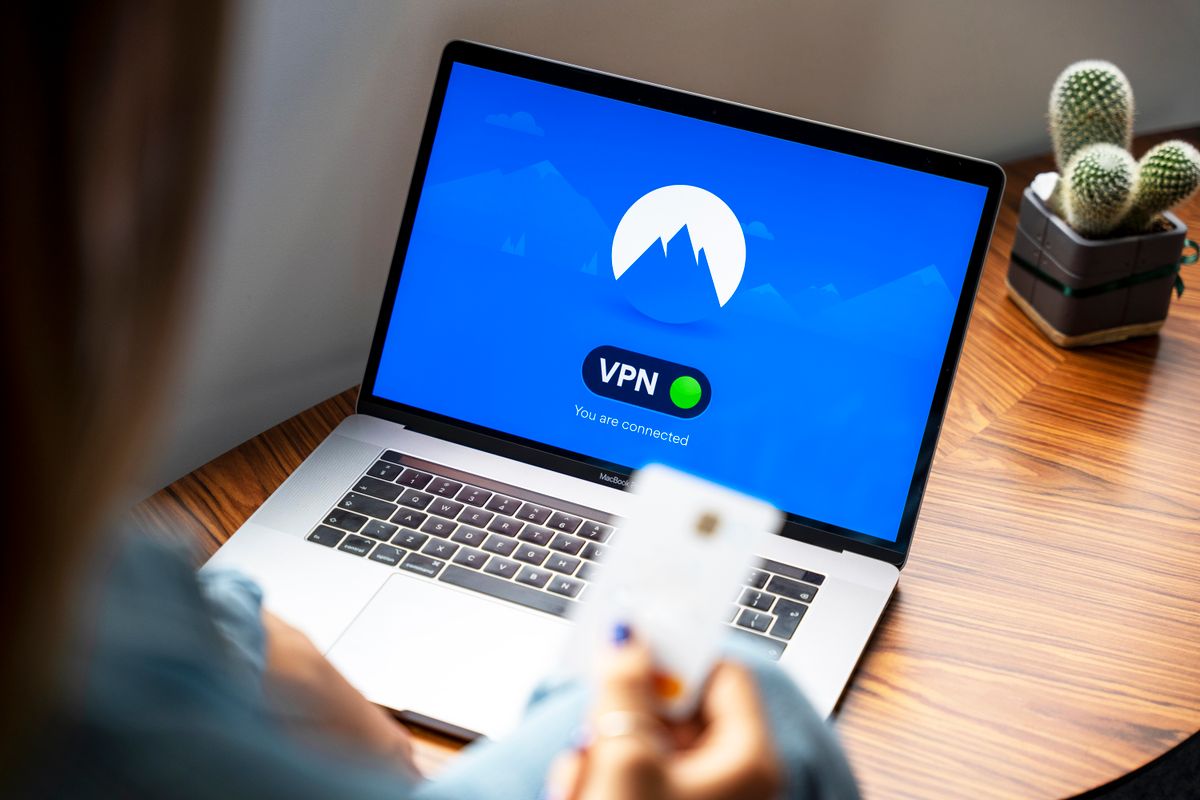 A connected VPN, shown here on a laptop, hides your IP and DNS path from the network - but it does nothing about browser fingerprinting or third-party cookies, which is why 2026 privacy is a multi-layer problem, not a single-app one.
The biggest engine-level story of the last two years is the one that did not happen: Chrome never finished removing third-party cookies. Google had spent years staging a "Privacy Sandbox" deprecation, but in July 2024 it announced it would not force-deprecate third-party cookies and would keep a user-choice model instead. In April 2025 it confirmed it would not even ship a standalone opt-out prompt. The practical result for 2026 is unchanged from what this report opened with: third-party cookies still exist by default in Chrome, while Safari, Firefox, and Brave block them - so the meaningful tracking surface keeps shifting toward fingerprinting, exactly the vectors covered in our browser fingerprinting state-of-the-art guide.
The other settled story is Manifest V3. Chrome completed the Manifest V2 sunset for general users through 2024-2025, which is why full uBlock Origin is now a Firefox-only proposition and uBlock Origin Lite is the Chromium reality. This is a durable structural change, not a temporary one: the dynamic-filtering and CNAME-uncloaking capabilities that MV2 allowed are not coming back to Chromium. For anyone who treats content blocking as a privacy control rather than a convenience, the engine choice (Firefox-family vs Chromium-family) now is the blocking-capability choice.
A few smaller but real 2026 shifts are worth recording. Encrypted ClientHello (ECH) moved from experimental to broadly available on Cloudflare-fronted origins and is honored by current Firefox and Safari, closing the SNI leak that DoH alone leaves open. State Partitioning / Total Cookie Protection is now the Firefox default rather than an opt-in, so cross-site storage correlation is contained without manual configuration. And Brave continues to ship fingerprint randomization on by default, which keeps it the lowest-friction privacy default for users who will not switch engines.
None of these changes alter the core conclusion of this report. Storage tracking keeps getting more contained; fingerprinting and TLS-level identity keep being the unsolved fronts. The engine news of 2026 is mostly confirmation that the threat moved where we said it did.
Defenses compared: which layer stops what
Privacy advice fails most often because a single tool is sold as a complete solution. It is not. Each defense covers specific fronts and leaves others fully exposed. The table below maps the common defenses against the four tracking fronts so you can see the gaps before you rely on any one layer.
| Defense | Storage tracking | Fingerprinting | Network identity | Sensors / side channels |
|---|---|---|---|---|
| Private / Incognito window | Partial (session only) | No | No | No |
| Full uBlock Origin (Firefox) | Strong | Partial | No | No |
| Brave Shields (randomization) | Strong | Partial (per-session noise) | No | Partial (permission model) |
| Tor / Mullvad (uniformity) | Strong | Strong (blend into crowd) | Strong (Tor) / Partial (Mullvad) | Strong |
| VPN | No | No | Strong (IP) / Partial (TLS JA4 still leaks) | No |
| Encrypted DNS (DoH/DoT) + ECH | No | No | Partial (resolver path + SNI) | No |
| iOS / macOS Lockdown Mode | Partial | Strong (JIT-off, API surface cut) | No | Strong |
Two reading rules make the table actionable. First, no single row is green across all four columns - even Tor leaves a residual sensor surface on mobile, and a VPN does nothing for the browser engine. Second, the columns are additive: you stack a network-layer defense (VPN or encrypted DNS) with an engine-layer defense (a privacy browser) because they protect orthogonal fronts. This is why our browser-privacy VPN guide treats the VPN as one layer in a stack rather than a standalone fix, and why the DNS-over-HTTPS implementations guide is a companion to, not a replacement for, browser hardening.
The honest takeaway: pick one defense per front, accept that no product covers all four, and re-check the stack on every major OS and browser release because defaults drift.
What we recommend for 2026
A decision matrix beats a single recommendation. Map yourself against one of four profiles and act accordingly.
Profile A - Privacy-conscious general user. You read the news, you use streaming services, you do online banking, you do not have specific adversaries. Run Brave on your daily device with Shields at default. Set your OS DNS to Cloudflare 1.1.1.1 or Quad9 over DoH. Use a reputable VPN for travel and public WiFi only. Install full uBlock Origin if you can switch to Firefox; otherwise uBO Lite plus ClearURLs on Brave. Do not enable Lockdown Mode. Do not install NoScript. Maintenance cost: 10 minutes per OS version.
Profile B - Tech worker, developer, sensitive employer. Your work or your employer makes you a higher-value target. Run Firefox with privacy.resistFingerprinting = true, DNS-over-HTTPS strict mode, uBlock Origin, NoScript on a per-origin allow-list, and a VPN active full-time. Use Mullvad Browser for personal browsing where work telemetry would be problematic. Audit installed extensions every six months. Maintenance cost: about 30 minutes per month.
Profile C - Journalist, activist, lawyer with sensitive caseloads. You handle source material or client material that requires real adversarial threat modeling. Run Tor Browser for source contact and sensitive research. Run Mullvad Browser for everything that is sensitive but not anonymity-critical. Enable Lockdown Mode on your iPhone and your Mac. Use Signal for messaging. Compartmentalize: a separate device for high-risk work is not paranoia, it is hygiene. Maintenance cost: about 2 hours per month plus an annual security review.
Profile D - Engineer running a privacy-respecting product. You are building something for users who care. Beyond your own browsing posture, you have responsibilities. Default to first-party analytics with IP truncation. Use server-side rendering where possible to reduce client-side script. Audit third-party scripts quarterly. Publish a clear privacy policy that maps to actual data flows. Adopt CSP rules that prevent any third party from injecting trackers post-deploy. Maintenance is part of the engineering practice, not an extra.
For users who want a single extending utility that helps no matter the profile, the bookmarklets reference we maintain covers a few one-click tools (instant archive.org snapshot, instant DNS resolver test, instant disable-all-JS) that complement any of the four profiles above.
In all profiles, the failure mode is the same: configure once, forget for two years, fall behind defaults. Privacy posture is a maintenance practice, not a one-time setup.
Methodology and sources
This pillar is a synthesis of published research, vendor documentation, and standards specifications. We do not run a private measurement panel; every quantitative claim is sourced or hedged accordingly.
Fingerprinting entropy figures. The entropy values in this report come from public research - primarily the EFF "How Unique Is Your Web Browser?" study and the Cover Your Tracks project, plus the broader published fingerprinting literature. We present them as approximate (canvas on the order of 16 bits, audio on the order of 11 to 12 bits), not as decimals we measured ourselves.
Browser comparison. The browser assessment compares the current stable releases of Brave, Tor Browser, Mullvad Browser, LibreWolf, and Firefox using their published features and documented defaults, together with the standard public benchmarks (Speedometer, JetStream) that any reader can run on their own hardware. Where we describe performance trade-offs (for example JIT-off being slower), the direction is well documented; we do not publish proprietary benchmark numbers.
Lockdown Mode site breakage. The qualitative claim - that a small and shrinking share of mainstream sites degrade under Lockdown Mode - reflects Apple's documentation and widely reported behavior. We do not attach a precise first-party percentage to it.
DNS resolver latency. The latency comparisons are approximate and directional (Cloudflare typically fastest, Quad9 slightly slower, regional variation expected). Readers can measure their own latency with public DNS benchmarking tools; we do not publish a proprietary probe dataset.
What we did not measure directly. JA4 TLS fingerprinting figures come from published research; we did not run any TLS measurement of our own. The Recall on Windows 11 behavior reflects the documented 2024 behavior plus the 2025 patches; we did not test Recall directly. Quantum-resistant TLS suites are not covered because deployment is still too inconsistent to describe usefully in 2026.
We aim to keep this report accurate as a mid-2026 snapshot and to make it cheap for anyone to verify against the cited public sources. If a figure here disagrees with a more recent published measurement, treat the more recent source as authoritative.
For deeper dives into specific vectors mentioned above, see our browser fingerprinting state-of-the-art guide covering every active and passive vector with entropy estimates drawn from published fingerprinting research. For an existing single-feature deep-dive, our iOS Lockdown Mode analysis walks through the JIT-off mechanism end to end. For lightweight in-browser utilities that complement any privacy posture, see our bookmarklets collection, our browser fingerprint test tool to measure your own exposure, and our HTTP security headers checker to audit your web properties.
Related guides: Extending the reMarkable tablet with Toltec and SSH (2026) and WebKit JIT benchmarks.