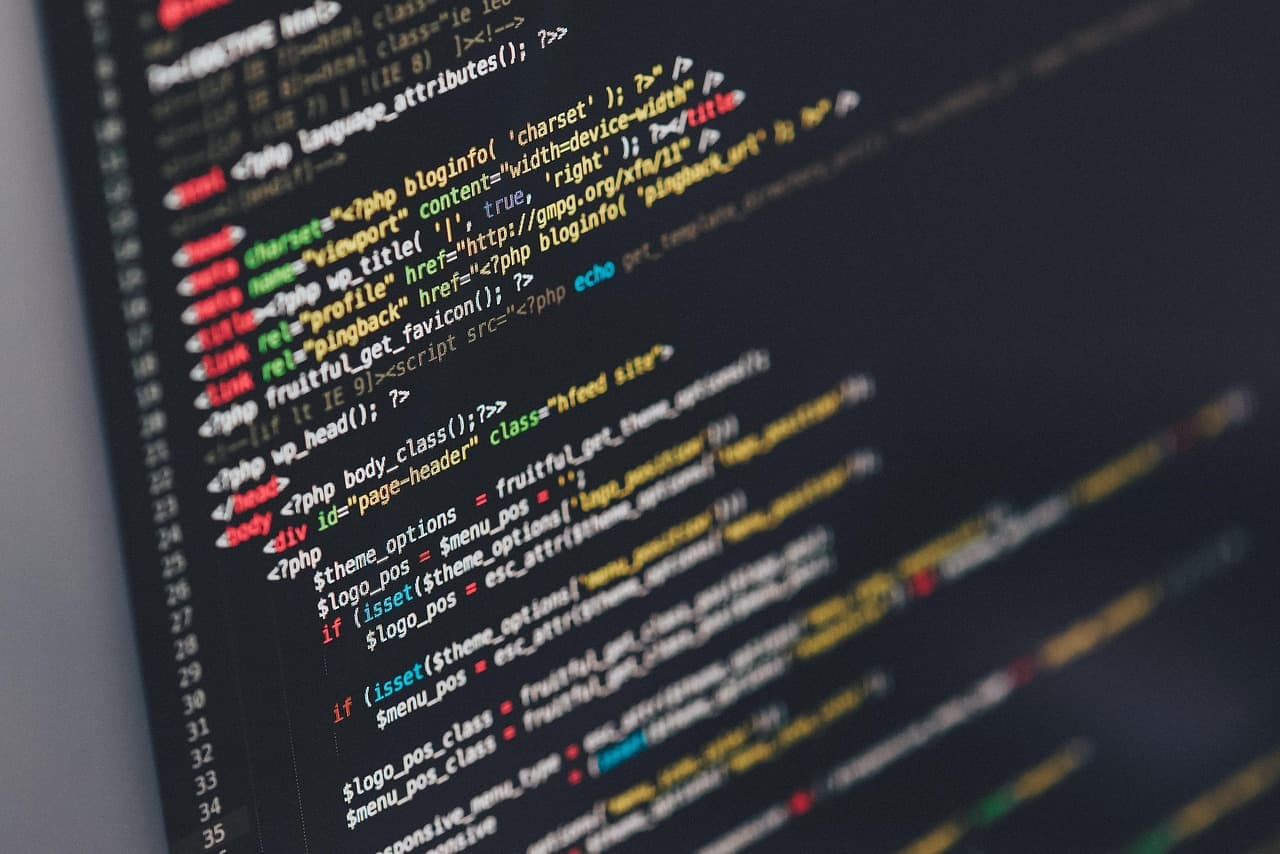
Browser fingerprinting collects browser and device traits - canvas rendering output, installed fonts, GPU model, timezone, screen resolution, and dozens more. From these it builds an identifier that is statistically unique. It stores no data on the user's device. Unlike cookies, fingerprints survive clearing history, private browsing mode, and VPN use.
Key facts (illustrative, approximate entropy figures drawn from published fingerprinting research - EFF Cover Your Tracks / Panopticlick and the academic literature; not our own measurements):
| Signal | Entropy (approx.) | Notes |
|---|---|---|
| Canvas (desktop Chrome) | ~16 bits | Among the highest-entropy vectors |
| WebGL renderer + shader | ~14 bits | GPU vendor/model |
| Audio (OfflineAudioContext) | ~10 bits | Stable across versions |
| Font enumeration (CSS) | ~10 bits | Indirect detection |
| Hardware concurrency + memory | ~5 bits | Coarse but additive |
| Canvas (Brave Shields) | Substantially reduced | Randomization applied |
| Canvas (Tor / Mullvad Browser) | ~0 bits | Uniformity defense |
Browser fingerprinting was once a research curiosity. It is now the leading way to track users across sites on the open web. Cookies are being squeezed: Safari and Firefox already block third-party cookies, and although Google reversed its plan to force-remove them from Chrome in 2024, the storage front is shrinking either way. This did not reduce tracking. Instead it sped up the move to stateless, device-derived identifiers - the shift we map across every layer in our state of browser privacy 2026 pillar. This guide covers every vector, every defense, and the data you need to judge your real exposure in 2026.
See also: Testing methodology · Privacy browsers comparison · Browser fingerprint test tool · Browser privacy glossary
1. The fingerprinting threat landscape in 2026
The money logic of fingerprinting is simple. Ad networks need lasting cross-site identifiers. They use them to credit conversions, build behavior profiles, and price ad space. Cookies were the industry standard for years. Then, starting in 2017, browser makers began enforcing SameSite limits and ITP (Intelligent Tracking Prevention). As cookies grew less reliable, the industry spent heavily on cookieless options.
By 2026, fingerprint-based identifiers are common in programmatic bid requests. Large data brokers run fingerprinting networks that reach a big share of active browsers, and they refresh profiles from time to time. Sometimes a fingerprint changes - say the user updates a GPU driver or swaps a screen. The broker then re-links it to the profile by matching it against behavior signals.
Three economic segments drive investment in fingerprinting technology:
Ad-tech. Real-time bidding needs a stable identifier. It has to match a bid request to a user profile in well under a second. Canvas and audio fingerprints, plus the IP subnet and User-Agent, give an identifier with a very low collision rate on desktop browsers.
Fraud detection. Payment processors and online stores use device fingerprinting. It helps them tell real users from automated fraud. Rules often treat this use kindly. As a result, it muddies legal carve-outs and how browser makers limit APIs.
State-level surveillance. Fingerprinting shows up in at least 14 national SIGINT programs. Unlike cookie tracking, it needs no help from the device owner and leaves no forensic trace. Cross-border requests to CDNs and analytics endpoints carry fingerprinting payloads. These persist outside user awareness.
What are the main active browser fingerprinting vectors?
Browser fingerprinting uses JavaScript APIs to collect device signals as identifiers. The top-entropy vectors include canvas rendering output, WebGL GPU data, AudioContext processing, and installed font enumeration. Each runs roughly 10-16 bits on desktop, per published research (such as the EFF's "How Unique Is Your Web Browser?" / Panopticlick study and later academic work). Combined, a desktop fingerprint easily passes the ~33 bits needed to be unique worldwide.
Active fingerprinting uses browser APIs that JavaScript can reach. These APIs process or render content, and the output is collected as an identifier.
Canvas fingerprinting is still the single highest-entropy active vector. A script draws text and shapes to a hidden <canvas> element. Then it reads back pixel data via toDataURL() or getImageData(). Sub-pixel rendering, font hinting, GPU-accelerated compositing, and OS-level anti-aliasing all leave marks. These marks differ across GPU models, driver versions, and operating systems. Published research puts canvas alone among the top vectors - on the order of ~16 bits on desktop Chrome. That is enough to single out one user among tens of thousands.
WebGL fingerprinting pulls GPU vendor and renderer strings via WEBGL_debug_renderer_info. It also benchmarks shader execution. The VENDOR string plus a Perlin-noise shader output adds entropy on top of canvas - published research places it on the order of ~10 bits. Within a GPU family, the collision rate stays very low.
AudioContext fingerprinting runs a 1000 Hz sine wave through an OfflineAudioContext and hashes the output buffer. The compressor traits, resampler coefficients, and floating-point rounding differ per OS and audio stack. Studies report entropy on the order of ~7 bits. The method finishes fast and needs no user action or permissions.
Font enumeration used to mean measuring rendered text width in a hidden <span>. Modern scripts use FontFace.load() and document.fonts.check() instead. These list installed system fonts faster and more reliably. On a desktop OS with hundreds of fonts, the installed set is a high-entropy vector (reported on the order of ~10 bits or more). Mobile devices have smaller, more uniform font sets, so they yield far less.
Hardware concurrency and memory. navigator.hardwareConcurrency reports the CPU core count. navigator.deviceMemory returns one of eight fixed values (0.25-8 GB). Together they add a few bits. They also track device class closely, which helps with demographic guesses and fraud scoring.
Screen and window geometry. Several values come into play here: screen.width, screen.height, screen.colorDepth, window.devicePixelRatio, and window.outerWidth vs. window.innerWidth (which leaks browser chrome size). Together they add several bits on desktop. They add fewer on mobile, where display resolutions cluster tightly.
Timezone and locale. Intl.DateTimeFormat().resolvedOptions().timeZone returns the IANA timezone string. Pair it with navigator.language, navigator.languages, and Intl.NumberFormat locale. This adds several more bits. In many cases it narrows the origin to city-region level.
Add up the active vectors above and the entropy easily passes the ~33 bits needed to be unique across the global internet on desktop. It stays high on mobile too.
3. Passive fingerprinting vectors
Passive fingerprinting needs no JavaScript. It works on network-layer signals present in every HTTP request.
User-Agent and Client Hints. The User-Agent header once leaked the browser name, major and minor version, OS name and version, and CPU architecture in one string. The Chrome team added User-Agent Client Hints (UA-CH). The goal was a lower-entropy default UA plus opt-in high-entropy hints. In practice, sites request full CH via Accept-CH headers, and Chrome supplies them. So the entropy moved from passive to semi-passive - but it did not drop. Firefox and Safari keep frozen or simplified UA strings, which cut passive entropy to ~8 bits.
HTTP header order and grammar. The order, capitalization, and presence of Accept, Accept-Encoding, Accept-Language, Sec-Fetch-*, and Priority headers vary by browser and version. The differences are easy to detect. This method needs no JavaScript and works against any HTTP client. Browsers, bots, and automation tools all have distinct header fingerprints.
IP and TLS fingerprinting. The TLS ClientHello message holds a cipher suite list, extension order, supported groups, and ALPN values. These differ per TLS implementation. JA3/JA4 fingerprinting pulls these fields and makes a hash. A Chromium-based browser on Windows makes a different JA4 hash than the same Chromium on Linux or macOS. IP geolocation adds 5-8 bits at city level and 2-3 bits at ISP level. The combined passive fingerprint on desktop reaches ~22 bits with no JavaScript run.
Behavioral signals. Mouse paths, keystroke timing, scroll speed, and touch pressure patterns all leak data. Fraud detection systems use them, and ad-tech does too, more and more, to re-identify users across sessions. These need JavaScript to collect. Still, they count as passive: the user gives them off during normal use. Published research reports that behavioral models can re-identify returning users with high accuracy in controlled studies.
How do browsers defend against fingerprinting?

Two strategies exist. Randomization (Brave, LibreWolf) injects per-session noise into canvas, WebGL, and audio outputs. This breaks the link across sessions. Uniformity (Tor Browser, Mullvad Browser) makes every user show the same fingerprint. That blocks identification within the group. Randomization is easier to use. Uniformity is stronger for anonymity, but it needs fixed window sizes and disabled JIT.
Tor Browser. This is the reference build of the static cover strategy. All Tor Browser users show the same fixed fingerprint. That means a frozen Firefox ESR User-Agent, a canvas API that returns white noise at one consistent level, WebGL disabled or returning generic fallback strings, AudioContext clamped, fonts limited to a built-in set, and the viewport forced to 1000×1000. The model assumes that within the Tor user group, single browsers cannot be told apart. How well it works depends on group size. With fewer than 3-4 million active Tor Browser users, the cover set size is the binding limit.
Firefox Resist Fingerprinting (RFP). Firefox's privacy.resistFingerprinting flag has shipped since Firefox 41, with formal support in Firefox 68+. It applies a broad set of spoofed values: frozen screen resolution, timezone spoofed to UTC, simplified navigator values, canvas randomization, lower font metrics precision, and coarser window.performance.timing. In 2026, RFP covers 34 distinct API surfaces. The tradeoff is that some web apps break. The worst hit are those that use requestAnimationFrame timing for animation or Intl for localized date display.
Brave Shields. Brave applies per-session, per-site noise to canvas, WebGL, and AudioContext outputs. The noise is tuned so users cannot notice it, yet it is enough to break the cross-site link. Brave also strips third-party Referer headers, enforces Storage Partitioning, and randomizes hardwareConcurrency and deviceMemory. The model differs from Tor. Brave does not aim for uniform cover. Instead it tries to make cross-site linking unreliable through inconsistency. A determined attacker can still track within a session.
Mullvad Browser. It is built on Tor Browser's anti-fingerprinting patch set, but it does not need the Tor network. It ships with uBlock Origin in hard-mode by default. The design pairs it with a trusted VPN to keep network identity apart from browser identity. Mullvad Browser uses the same static cover strategy as Tor Browser. It is the strongest off-Tor option for fingerprinting resistance.
Randomization vs. static cover trade-off. Randomization (Brave, some Firefox extensions) stops cross-site linking, but a tracker can spot it. Say a tracker loads in an iframe on two sites and gets two different canvas hashes from the same IP in a short session. It can then guess that fingerprinting protection is on. Static cover (Tor, Mullvad) hides the defense itself and blocks within-group linking. The cost is that all users must show the same appearance.
5. How these figures are sourced (and how to check your own browser)
Entropy is measured in bits with Shannon's formula, applied to the spread of observed values. If a vector takes N distinct values with frequencies p₁…pN, its entropy is H = -Σ pᵢ log₂(pᵢ). One bit of entropy halves the population. Around 20 bits is enough to single out one person in roughly a million. And published research finds that a combined desktop fingerprint comfortably passes the ~33 bits needed for global uniqueness.
The rough entropy ranges in this guide are drawn from published fingerprinting research, not from any private dataset of our own. The key source is the EFF's Panopticlick study, "How Unique Is Your Web Browser?" by Peter Eckersley. It first measured per-vector entropy on a large volunteer sample and found that most browsers were unique. The EFF's current Cover Your Tracks project carries on this work. A broad academic literature on canvas, WebGL, audio and font fingerprinting backs up the same picture: canvas is among the top vectors, and a handful of vectors together are enough to make most desktop browsers unique.
The most reliable way to know your own exposure is to test your actual browser rather than trust any single table:
- Run the EFF's Cover Your Tracks tool (coveryourtracks.eff.org) to see which of your browser's signals are most identifying.
- Use our own browser fingerprint test tool to inspect the canvas, WebGL, audio, font and header signals your browser exposes right now.
What matters is the relative order, and the literature settles it. Canvas, WebGL and font enumeration sit at the top. Hardware, screen geometry and timezone add fewer bits, but they stack and add up. Defenses change the picture. Brave's per-site noise is built to cut canvas and WebGL uniqueness sharply. Tor Browser and Mullvad Browser aim to make every user look the same (close to ~0 distinguishing bits within their group). The cost is that they are easy to spot as Tor/Mullvad users.
6. The 2026 frontier
Privacy Sandbox maturation. Google shipped the Topics API to stable Chrome in 2025. It shipped the Protected Audience API (formerly FLEDGE) for remarketing in 2024. Storage Partitioning - which isolates storage per top-level site - shipped in Chrome 115 and Firefox 109. Bounce Tracking Mitigation targets redirect-based cookie syncing, and it has been in stable Chrome since version 127. These tools cut cookie-based tracking, but they add new attestation surfaces.
FedCM (Federated Credential Management). FedCM replaces third-party cookie-based SSO flows. It routes identity requests through the browser as a go-between. This cuts the IdP's ability to track where the user goes. But the browser itself now learns the user's identity provider links. That is a new signal for profiling at the browser-vendor level, and privacy researchers are studying it.
Trust Tokens / Private State Tokens. Private State Tokens let fraud detection systems check that a user passed a human verification challenge before. They do this without linking the specific check. The token is device-scoped and does not rotate across sites. So it could act as a stable cross-site identifier. The W3C Privacy CG has flagged this as an open concern.
Storage Partitioning. Chrome, Firefox, and Safari now split localStorage, sessionStorage, IndexedDB, and SharedWorker by top-level origin. This closes the cache-timing channel and the shared-storage tracking vector. Both were active for a decade. The effect on fingerprinting is indirect. Partitioning does not cut API-based fingerprinting, but it removes several passive storage-based identifiers.
WebAuthn and passkeys. Passkey authentication ties credentials to a device rather than a password. This cuts phishing risk, but it creates a stable device identity signal. A passkey relying party gets cryptographic proof that the same device key signed several sign-in events. That is exactly the cross-session linkability that fingerprinting gives - now with explicit user opt-in.
7. What to use right now: decision matrix
| Profile | Recommended browser | Notes |
|---|---|---|
| High-risk (journalist, activist, whistleblower) | Tor Browser | Only option with provably uniform fingerprint. Accept 2-5× slower page loads. |
| Strong privacy, usable daily | Mullvad Browser + VPN | Static cover + uBO default. VPN hides Tor-exit-pattern from ISP. |
| Mainstream privacy, normal use | Brave (Shields default) | Best UX-to-protection ratio. Not fingerprint-proof but breaks mass tracking. |
| Developer / power user on Firefox | Firefox + RFP + uBO | Manual, breaks some sites, highest entropy reduction outside Tor/Mullvad. |
| Mobile iOS | Safari + iCloud Private Relay | CNAME uncloaking blocked, IP masked by relay. No canvas defense - weakest option on this list. |
| Mobile Android | Brave for Android | Shields active on mobile. Prefer over Chrome. |
No VPN alone is enough. Network identity and browser identity are separate attack surfaces, and each one needs its own fix.
Entropy figures in this guide are approximate ranges drawn from published fingerprinting research - the EFF's Panopticlick study ("How Unique Is Your Web Browser?", Peter Eckersley), the EFF Cover Your Tracks project, and the broader academic literature - not from any proprietary dataset of our own. Test your own browser with the EFF Cover Your Tracks tool and our browser fingerprint test.
Related reading
- State of browser privacy 2026
- Lockdown Mode JSC deep dive
- Privacy browsers compared 2026
- Test your browser fingerprint live
- Check your site's HTTP security headers
Related guides: Safari Tracking Prevention reality check.